

Reconstruction
Start the rebuild with the history in hand.
The context carries past mitigation.
Job photos, notes and documents stay available as repair crews and subs take the next steps.
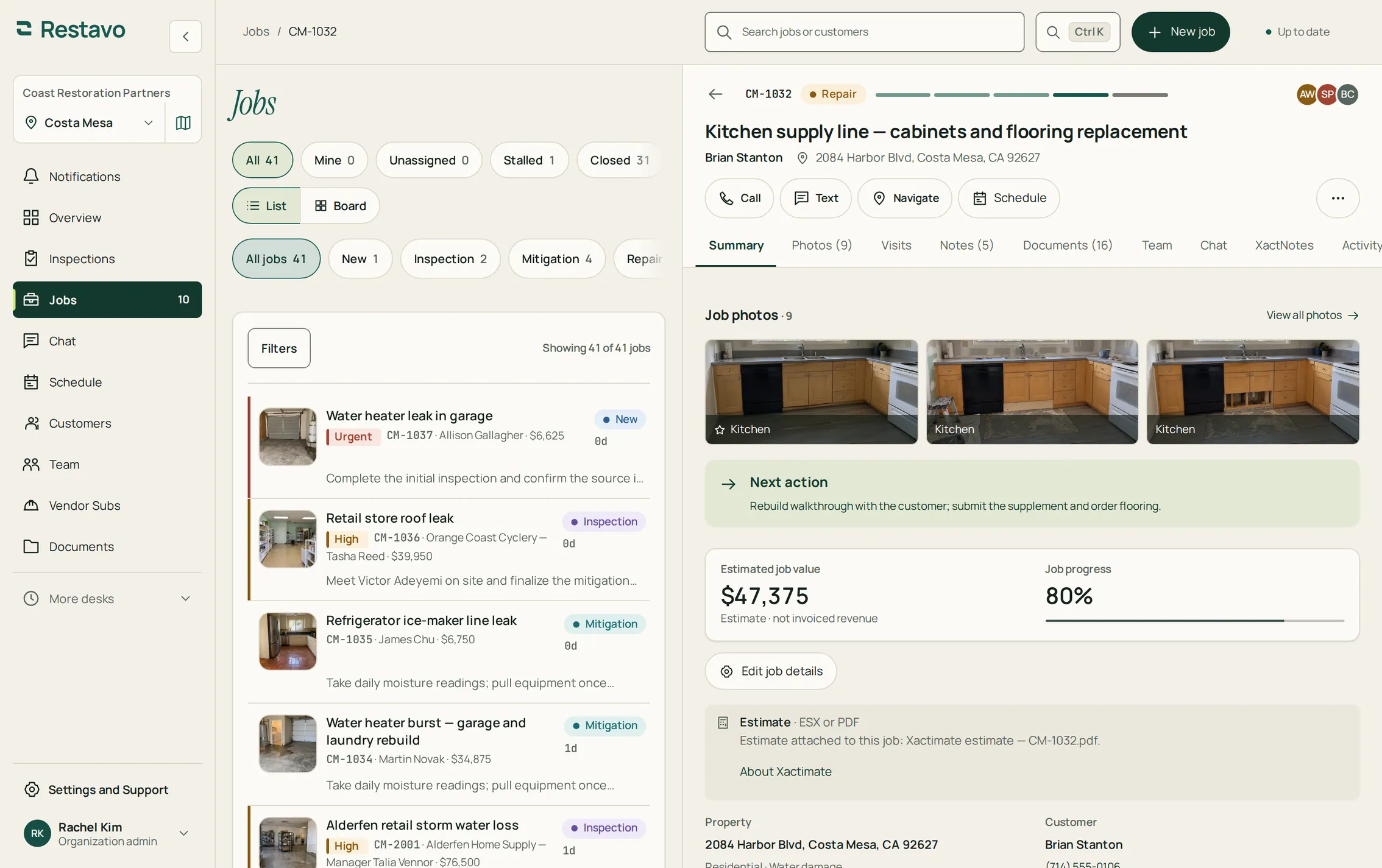
CM-1032 · Kitchen supply line, cabinets and flooring · Repair
01Handoff
Same job, full history.
See what happened before your crew arrived.
Review the stage, documents and Activity before the handoff. The mitigation evidence stays attached as repair goes on.
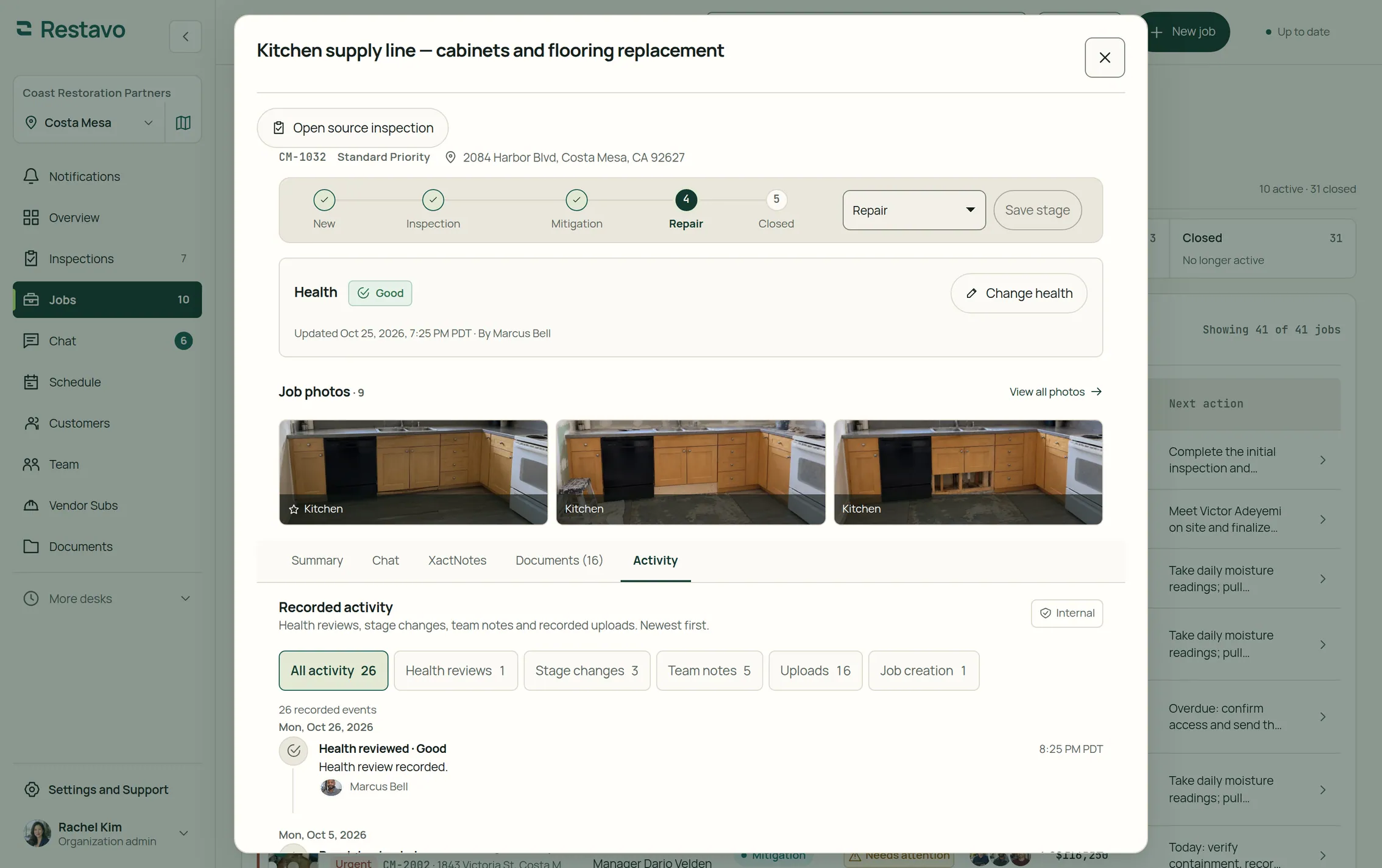
CM-1032 · repair notes and stage history
02Plan
A date, a crew and a link to the job.
Get the next repair visit on the schedule.
Review visits by day or week and check assignments before work starts.
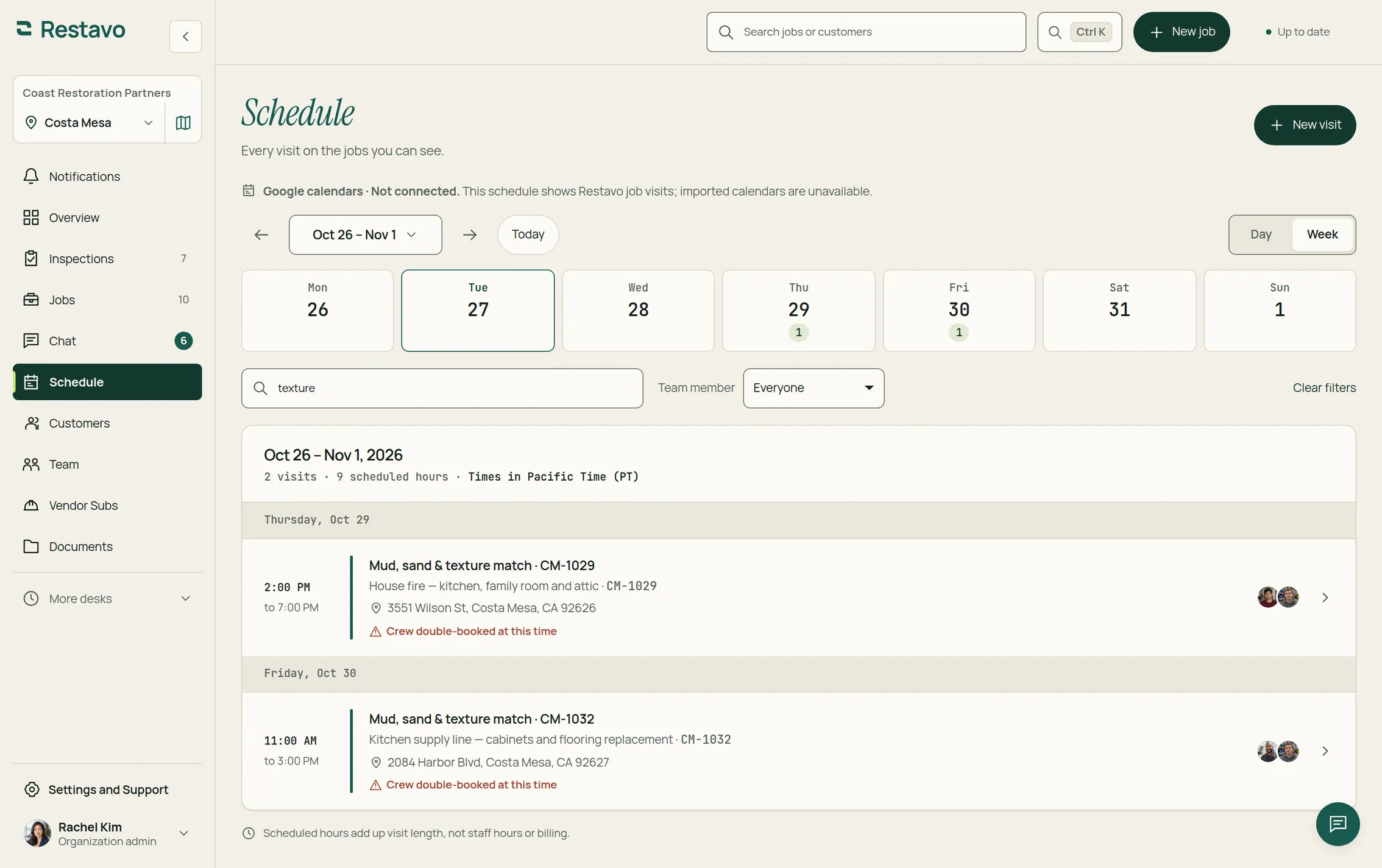
CM-1029 and CM-1032 · mud, sand and texture match visits
03Subs
Requests and engagements.
Sub work stays in the job's context.
Vendor Subs shows job-linked requests and engagement status. Vendor contacts and documents stay in your location's records.
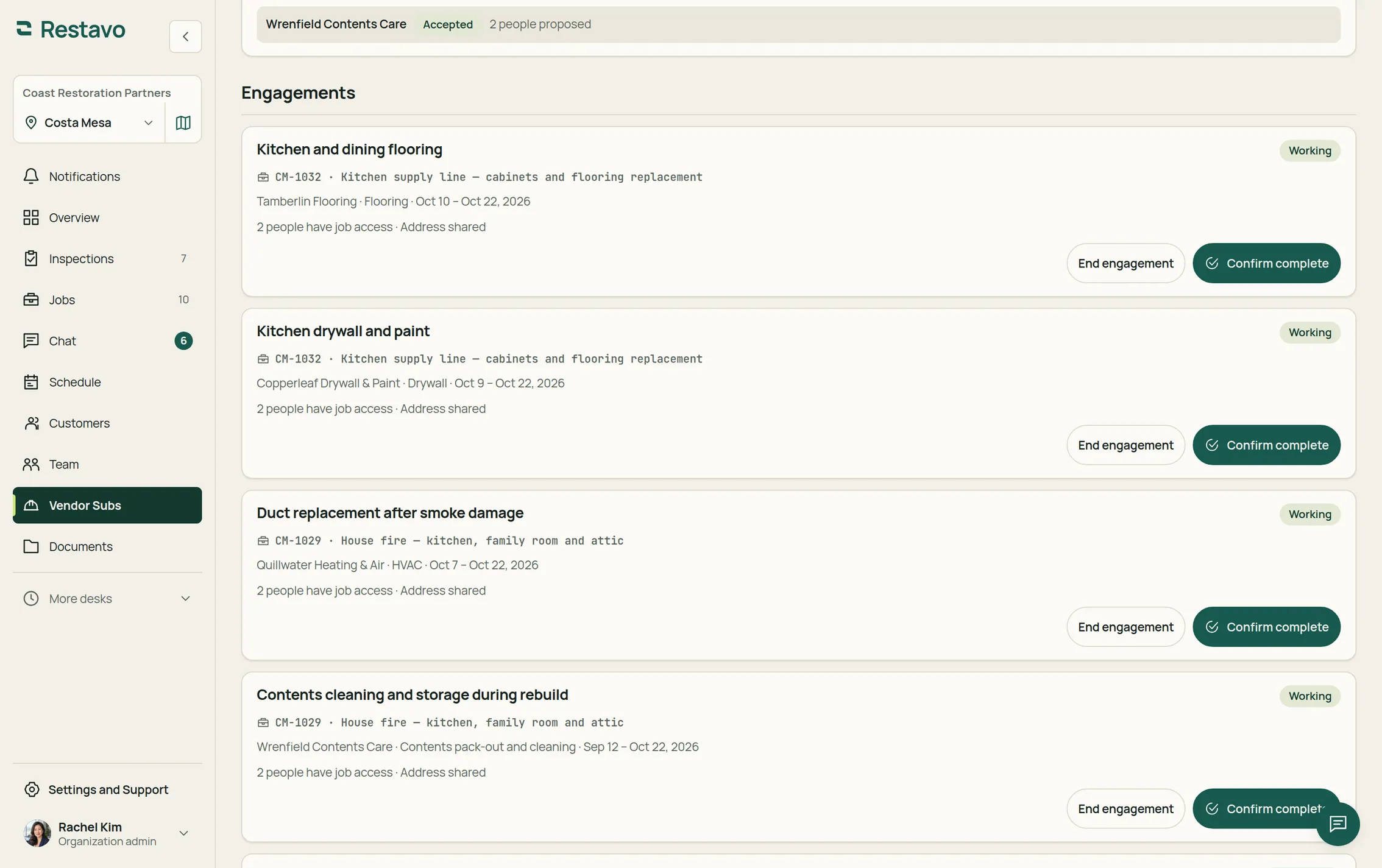
Coast Restoration · active and completed vendor work
04Close
Somewhere to return when questions follow.
Close the job. Keep the record.
Mark the job Closed when the team is done. Its files and activity stay available to authorized people.
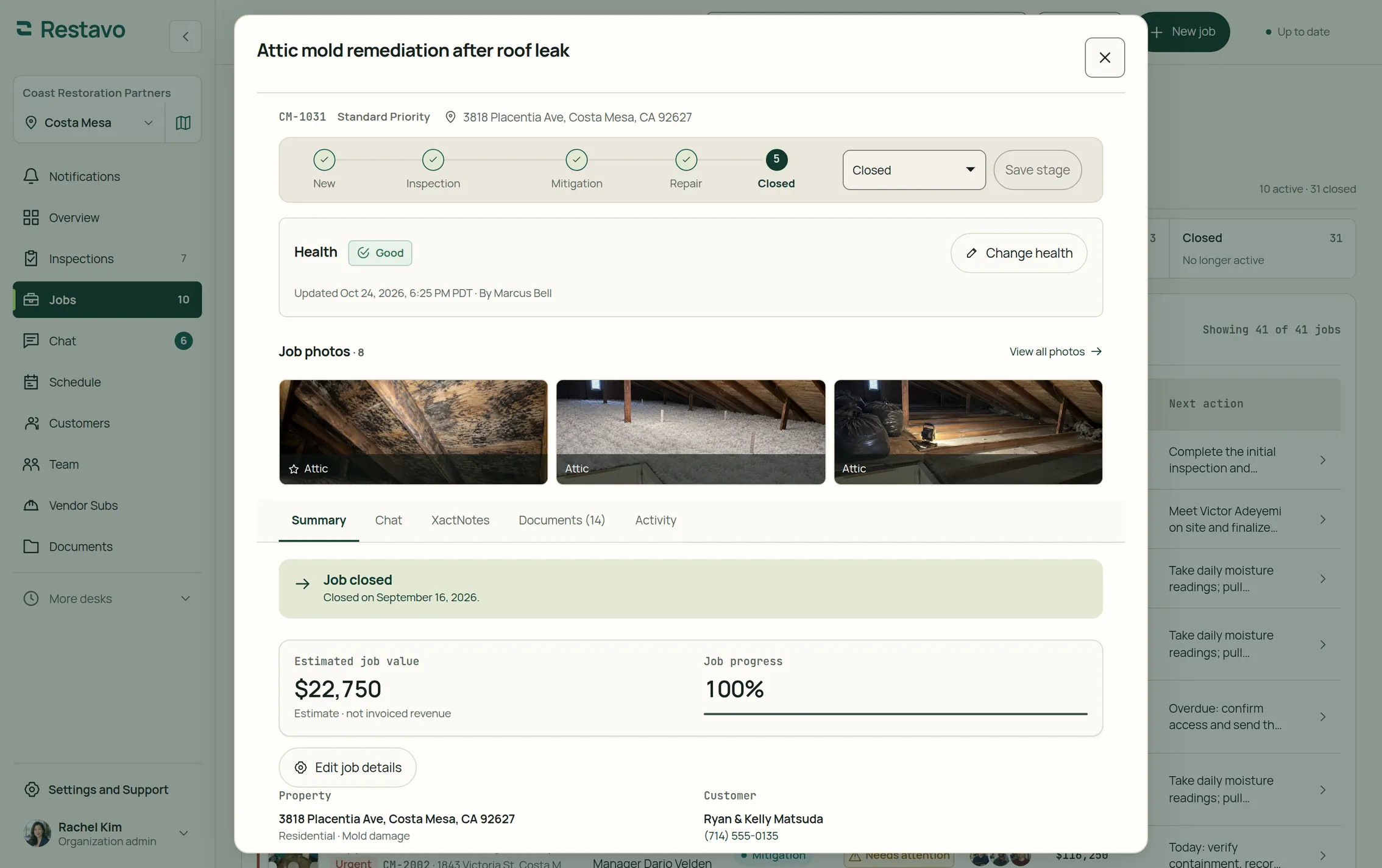
CM-1031 · Attic mold remediation · Closed
Who gets what
What each person gets from it.
- 01
The owner
A rebuild that starts with the mitigation history in hand and ends with a record you can return to.
- 02
The office
Repair visits on the schedule and sub requests followed from the job.
- 03
The crew
What happened before they arrived: the stage, the documents and the activity.
Questions owners ask
Reconstruction, in short.
Does the mitigation record carry into the rebuild?
Yes. It is the same job with its full history. The mitigation evidence stays attached as repair goes on.
How do I follow subcontracted work?
Vendor Subs shows job-linked requests and engagement status. Vendor contacts and documents stay in your location's records.
What happens to the file when the job closes?
Mark the job Closed when the team is done. Its files and activity stay available to authorized people.

A walkthrough for your restoration business
See it with your work in mind.
Tell us about your locations, crews and the handoffs that take the most follow-up. We'll walk through the relevant jobs, visits and records in Restavo.
Book a demo Email us