

Overview
See the day before it runs you.
Active jobs, today's visits and what needs a decision.
Open Restavo to the jobs underway, the crews heading out and the work that needs a follow-up. Click through to the job when you need the detail.
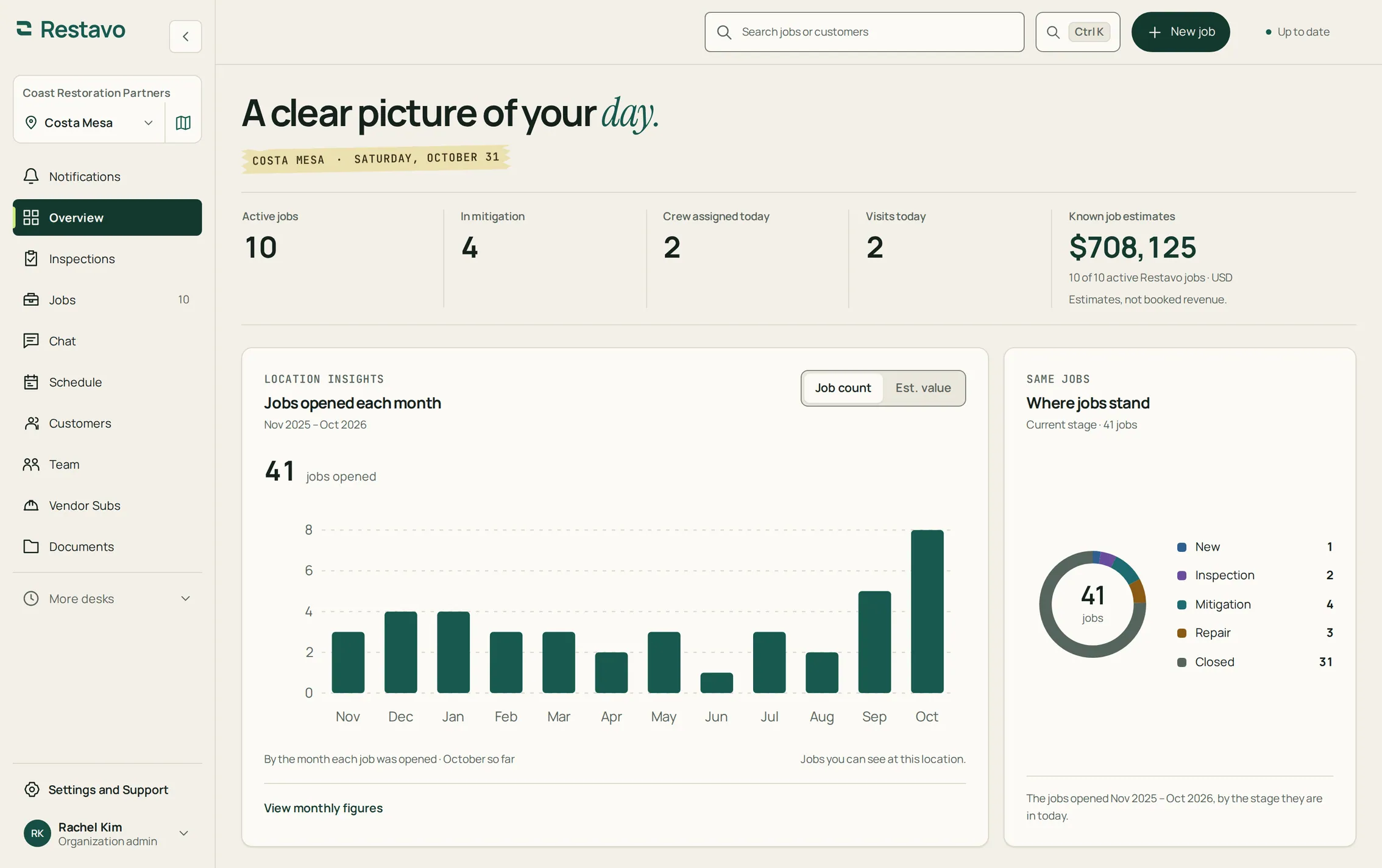
Coast Restoration · Costa Mesa overview
01Visits
Today's visits, at a glance.
Who's going where today?
Check crew assignments and visit status, then open Schedule to work the day.
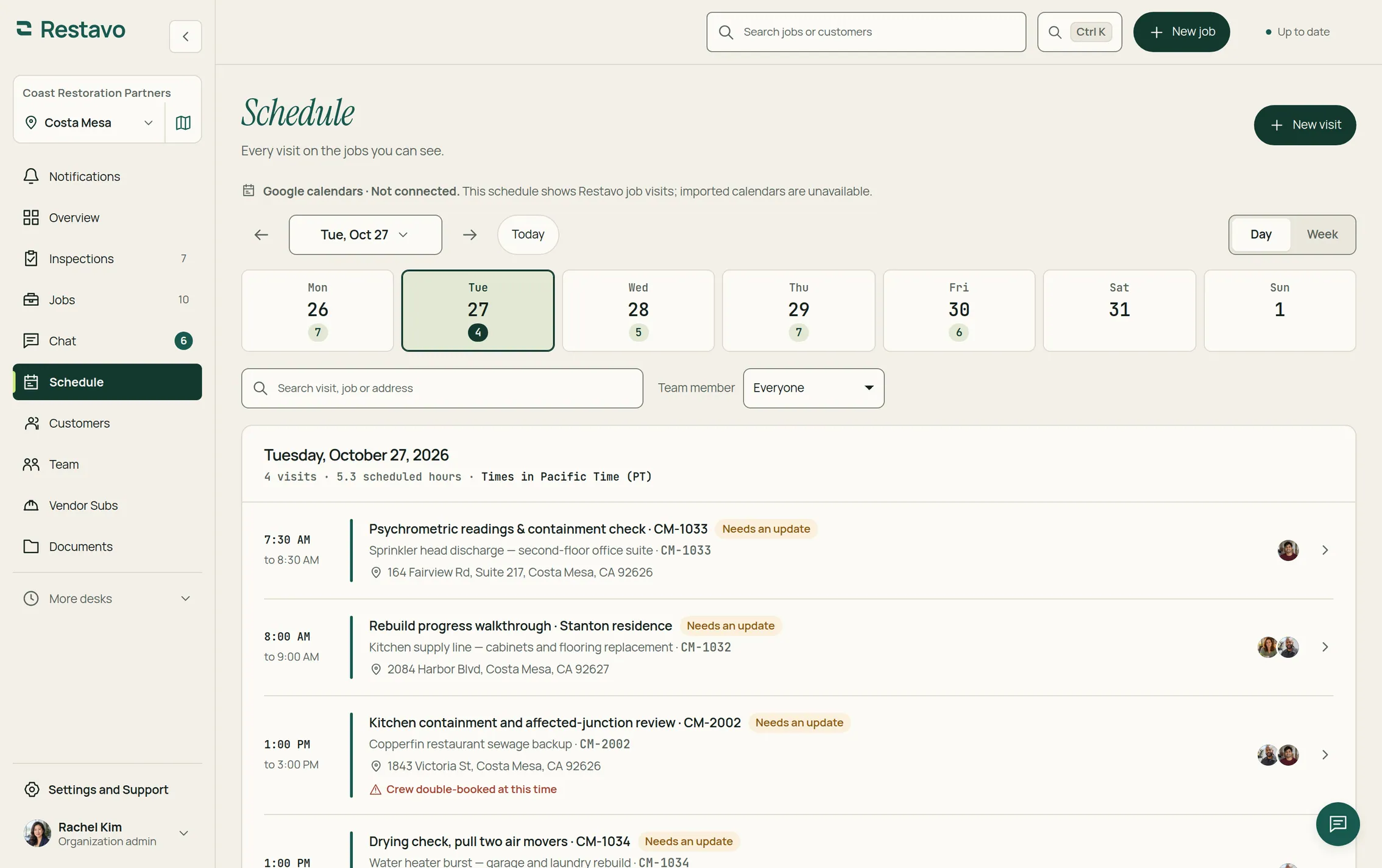
Coast Restoration · today's visits and assigned crews
02Attention
The issue, the person and the next step.
Every stalled job gets an owner.
The attention list shows the jobs that need a follow-up. A Health review names what's wrong, who owns it and what happens next.
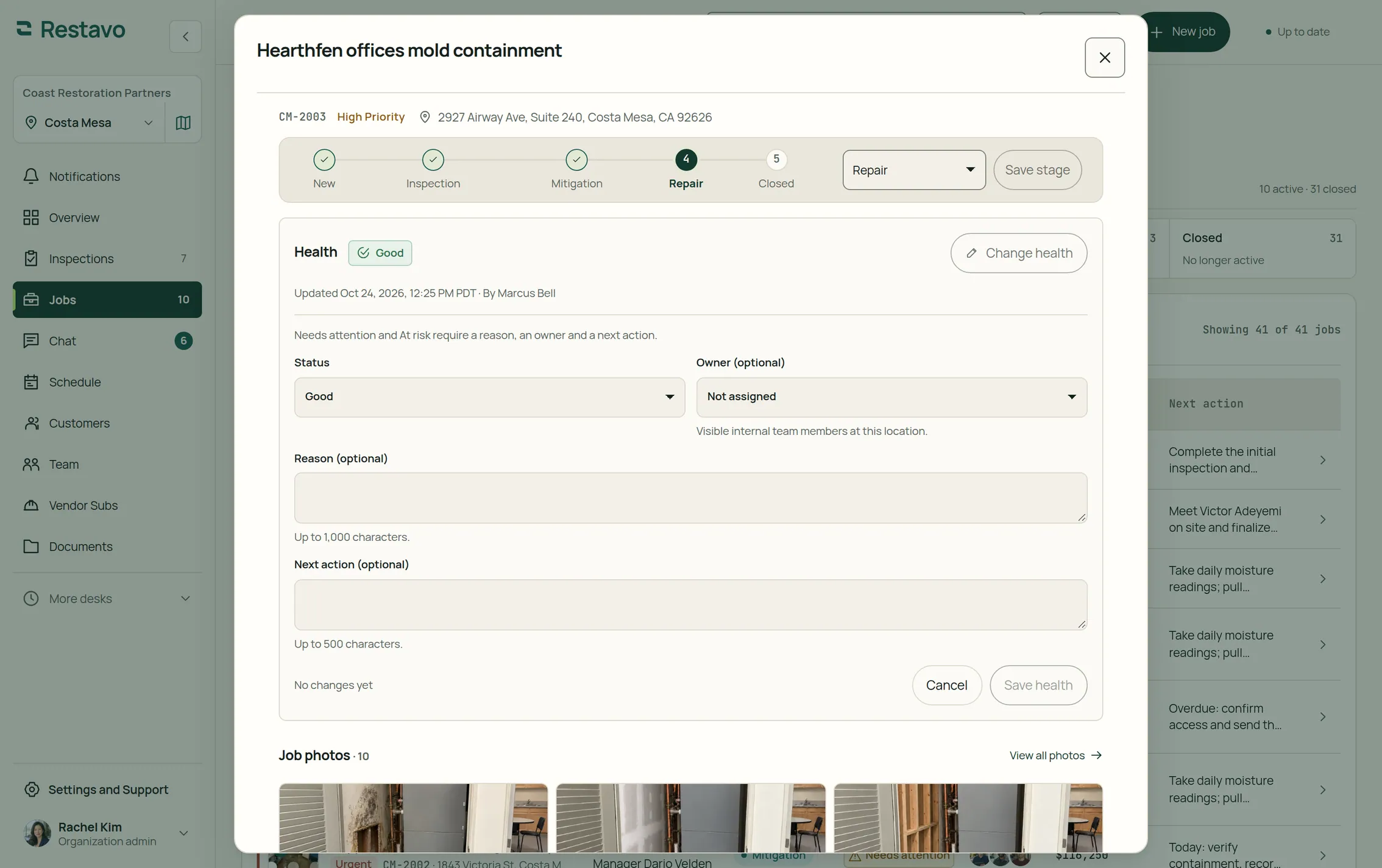
CM-2003 · Health review with status, owner and next action
03Location
One location on screen at a time.
Always know which location you're in.
Switch between the locations you have access to. Each overview shows that location's work, filtered by your permissions.
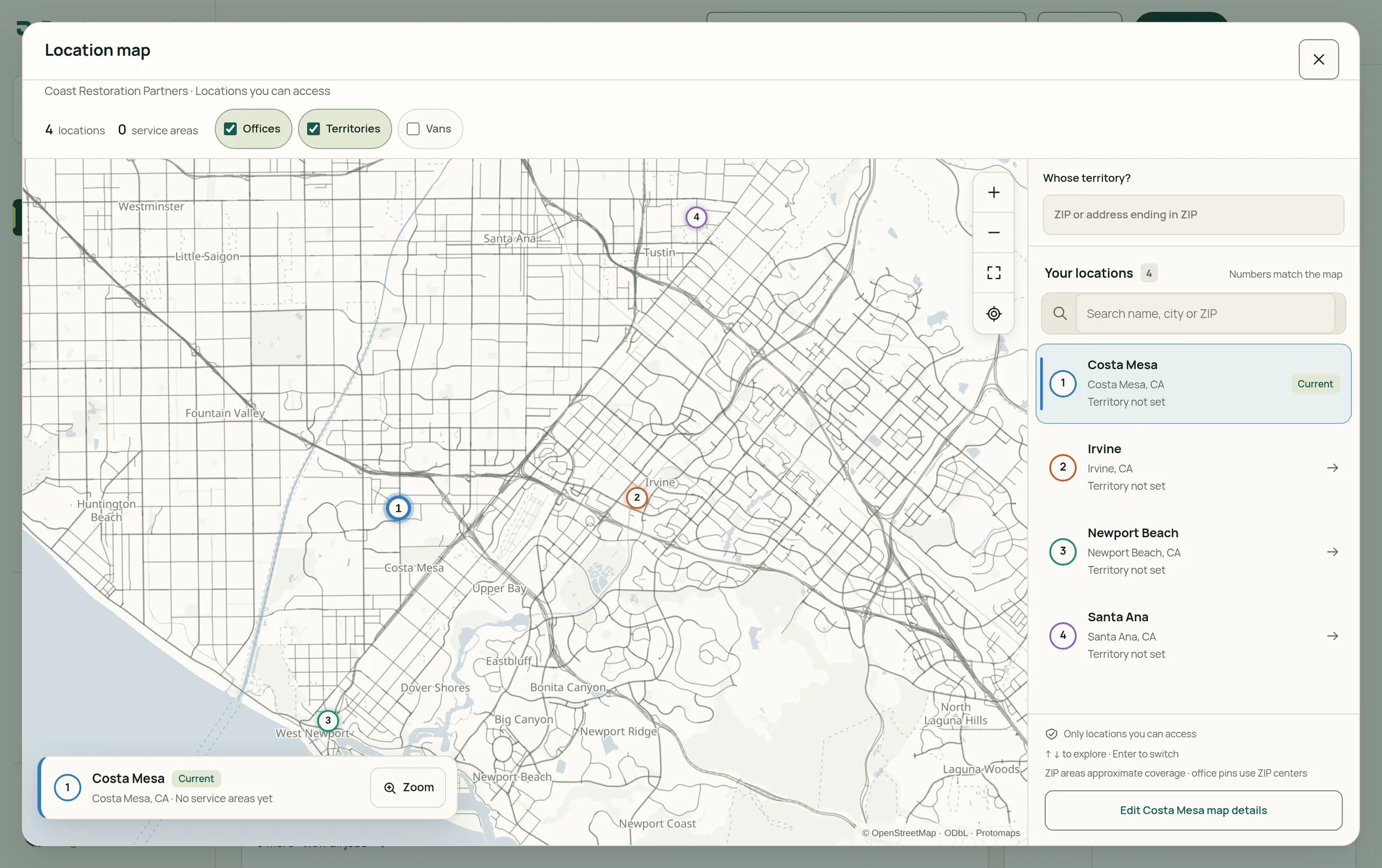
Coast Restoration · location map of Costa Mesa, Irvine, Newport Beach and Santa Ana
04People and related work
What you see follows your access.
The office and the field start here.
Location leaders see their whole location; assigned staff see the jobs their role allows. Jobs, Schedule and Team are one click away.
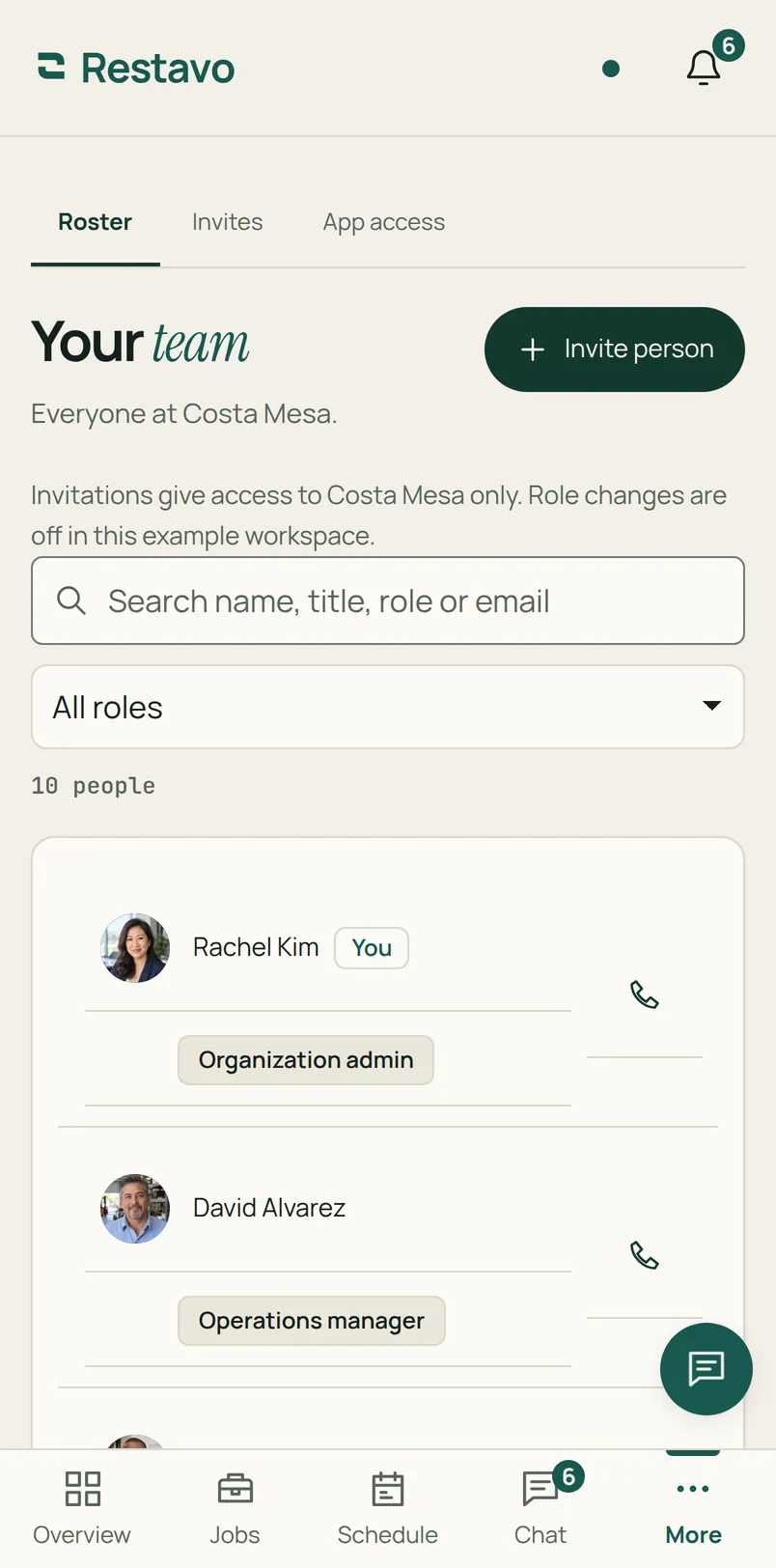
Coast Restoration · Costa Mesa people and roles
Who gets what
What each person gets from it.
- 01
The owner
The active jobs, today's visits and the issues your team has flagged, before the first round of calls.
- 02
The office
One place to start the day: who is going where, and which jobs need a follow-up.
- 03
The crew
Their assigned jobs and visits, filtered to what their role allows.
Questions owners ask
Overview, in short.
What does the Overview show?
The jobs underway at the selected location, today's visits with their crews, and an attention list of jobs that need a follow-up. Each item opens the job behind it.
Can I see every location at once?
Overview shows one location at a time. You switch between the locations you have access to, and each one shows its own work filtered by your permissions.
Does everyone see the same Overview?
No. Location leaders see their whole location. Assigned staff see the jobs their role allows.

A walkthrough for your restoration business
See it with your work in mind.
Tell us about your locations, crews and the handoffs that take the most follow-up. We'll walk through the relevant jobs, visits and records in Restavo.
Book a demo Email us