

Fire & smoke
A clear record through every fire job.
The first inspection is only the start.
Photos, notes, visits and documents stay together as the job moves through mitigation and repair.
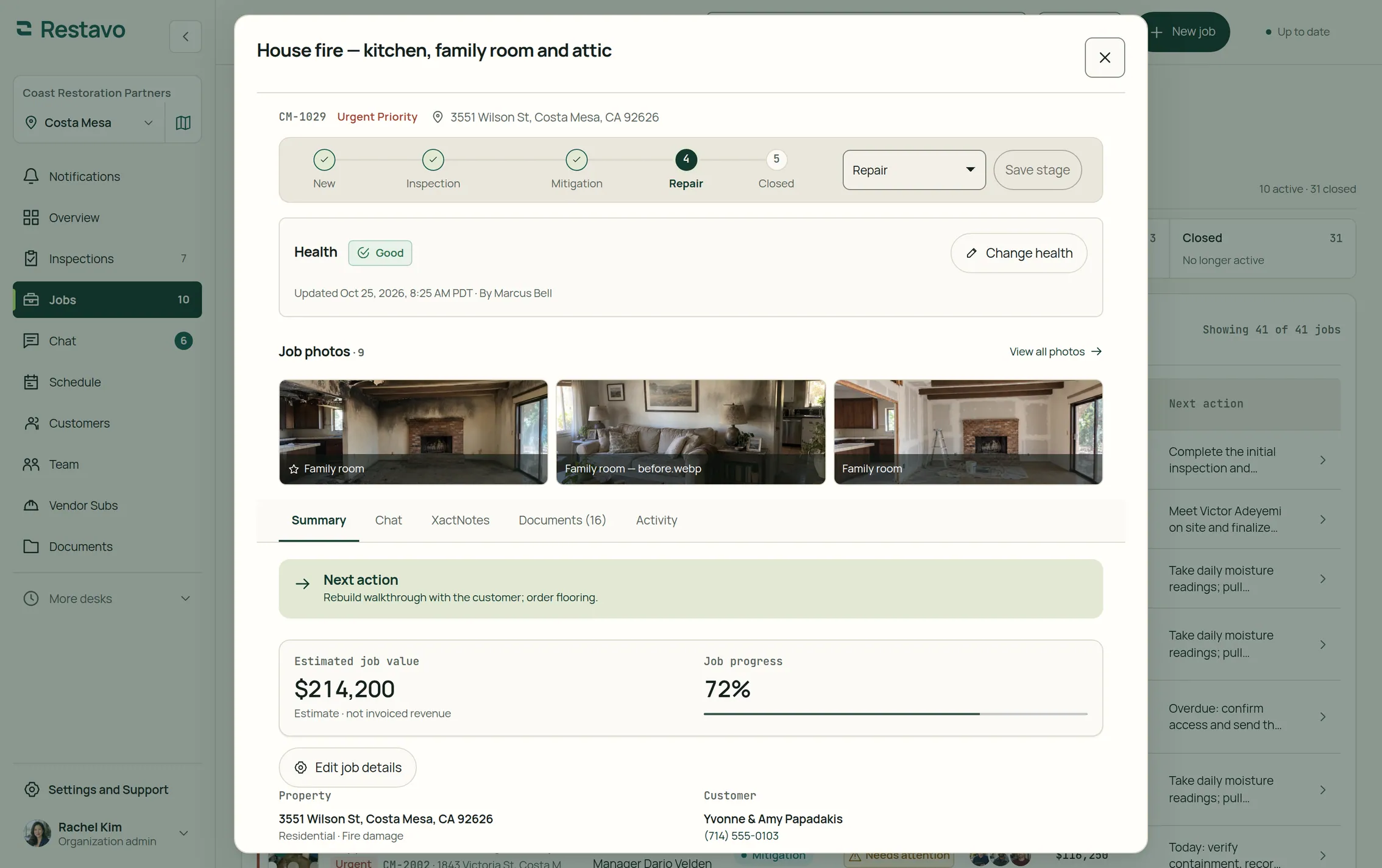
CM-1029 · House fire, kitchen, family room and attic · Repair
01Conditions
The property as you found it.
Keep the initial findings in reach.
Record the inspection and keep it linked to the job. Site photos and supporting reports sit where the authorized team can find them.
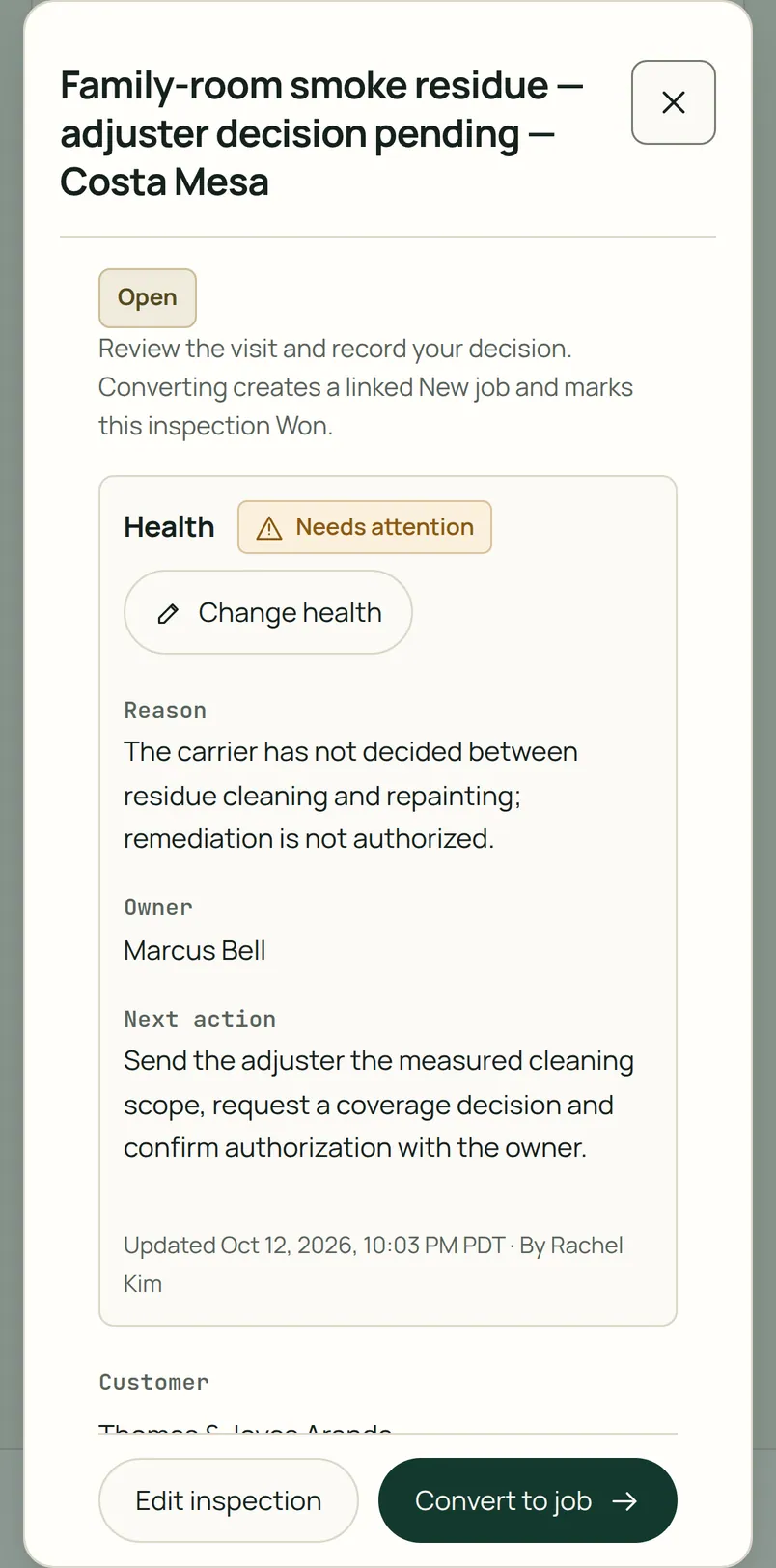
Family-room smoke residue inspection · adjuster decision pending
02Coordination
People and plans change as the work goes on.
Every visit carries the job's context.
Check the schedule, crew assignments and the job's stage. When something stalls, a Health review gives it an owner and a next action.
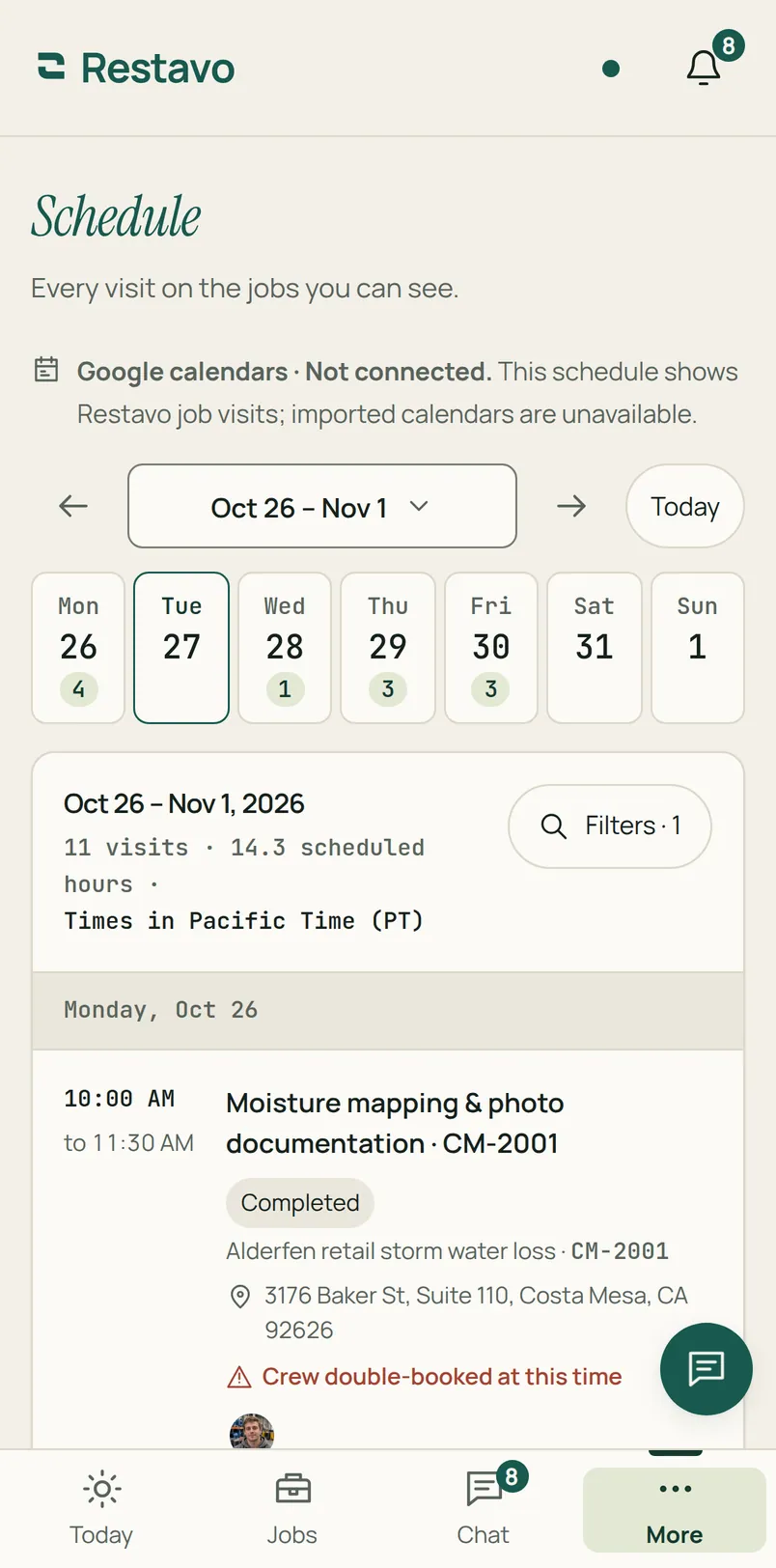
Coast Restoration · this week's moisture checks
03Explanation
The explanation lives with the evidence.
Write what you're ready to stand behind.
Review and publish an XactNote, then copy it into your own adjuster channel. When a question comes back, the job's activity is right there.
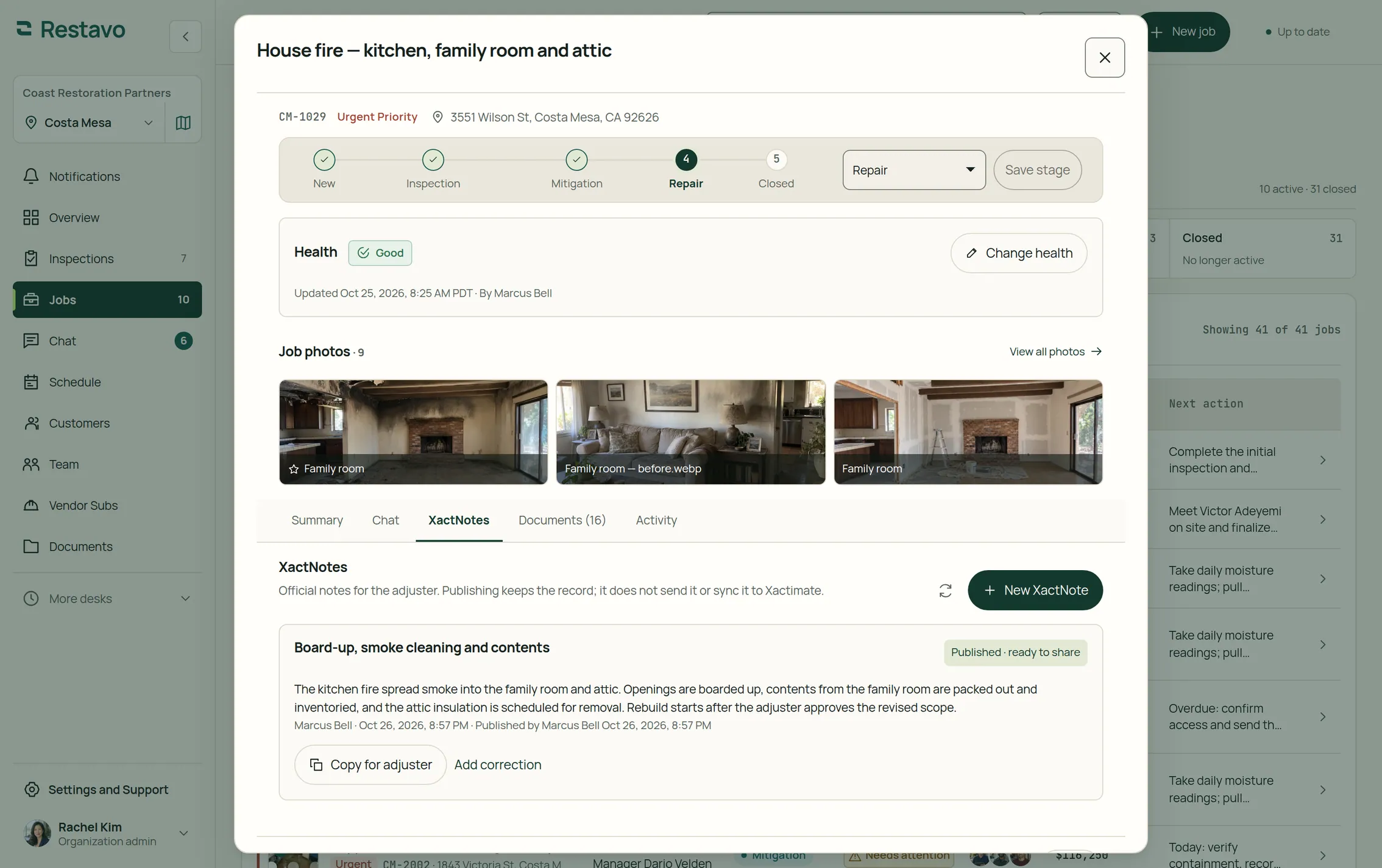
CM-1029 · published board-up, smoke cleaning and contents XactNote
04Repair
Same job, next stage.
Carry the record into reconstruction.
The photos and documents already on the job are ready as you plan repair visits and sub work.
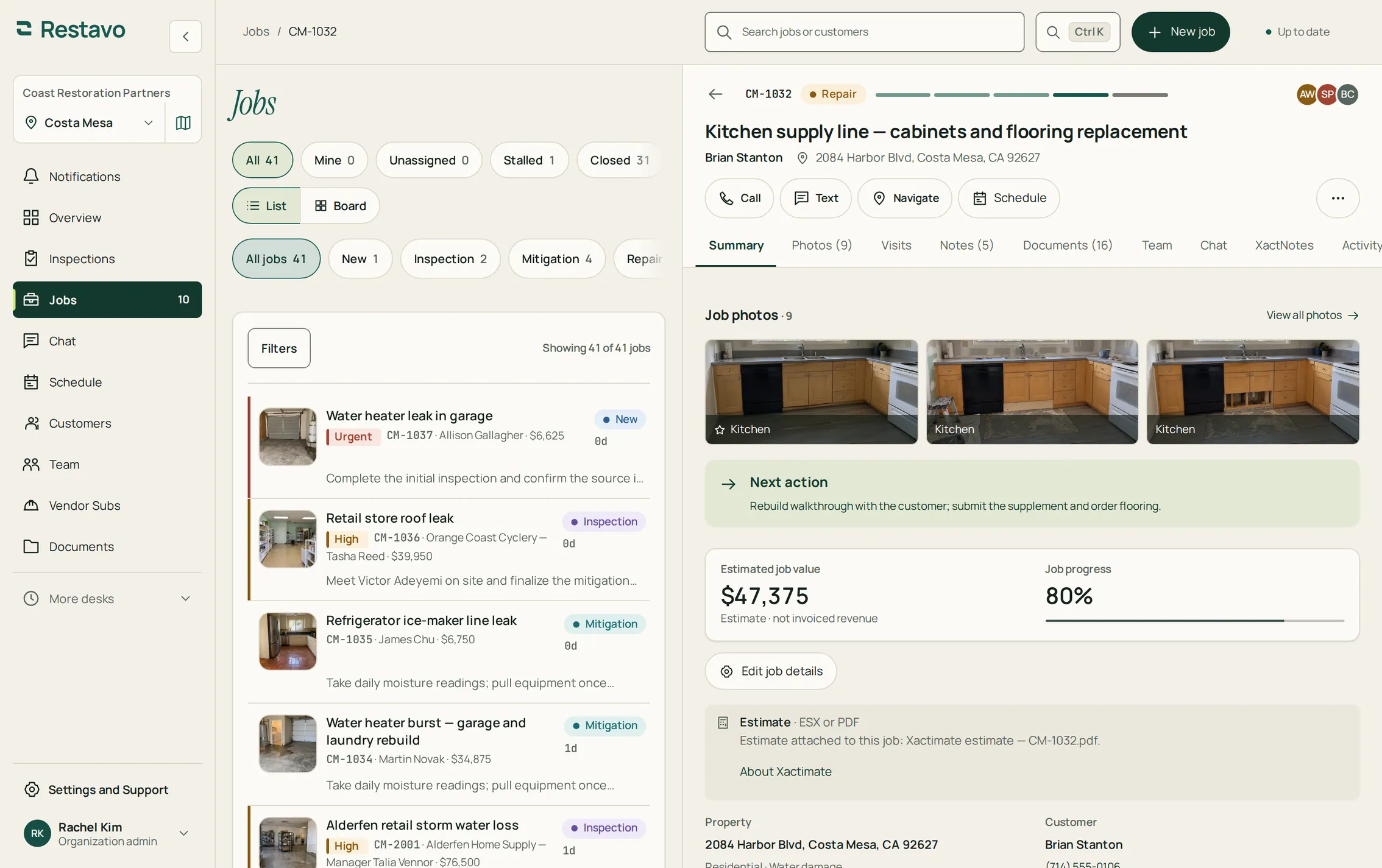
CM-1032 · Kitchen supply line, cabinets and flooring · Repair
Who gets what
What each person gets from it.
- 01
The owner
A long job with one record, so a change of people does not mean a loss of history.
- 02
The office
The initial findings, site photos and reports linked to the job through mitigation and repair.
- 03
The crew
The schedule, the crew assignment and the job's stage before each visit.
Questions owners ask
Fire & smoke, in short.
Fire jobs run for months. What keeps the record together?
Photos, notes, visits and documents stay on one job as it moves through mitigation and repair, and the first inspection stays linked to it.
What happens when a fire job stalls?
A Health review gives the stalled item an owner and a next action, and it stays in the job's activity.
How do I explain the work to the adjuster?
Review and publish an XactNote, then copy it into your own adjuster channel. When a question comes back, the job's activity is right there.

A walkthrough for your restoration business
See it with your work in mind.
Tell us about your locations, crews and the handoffs that take the most follow-up. We'll walk through the relevant jobs, visits and records in Restavo.
Book a demo Email us